
One remote observer watches a dozen hospital patients at once, for an entire shift. The Pod is the screen they do it from. I led its design from the first concepts to 2026, starting from the limits of human vision.
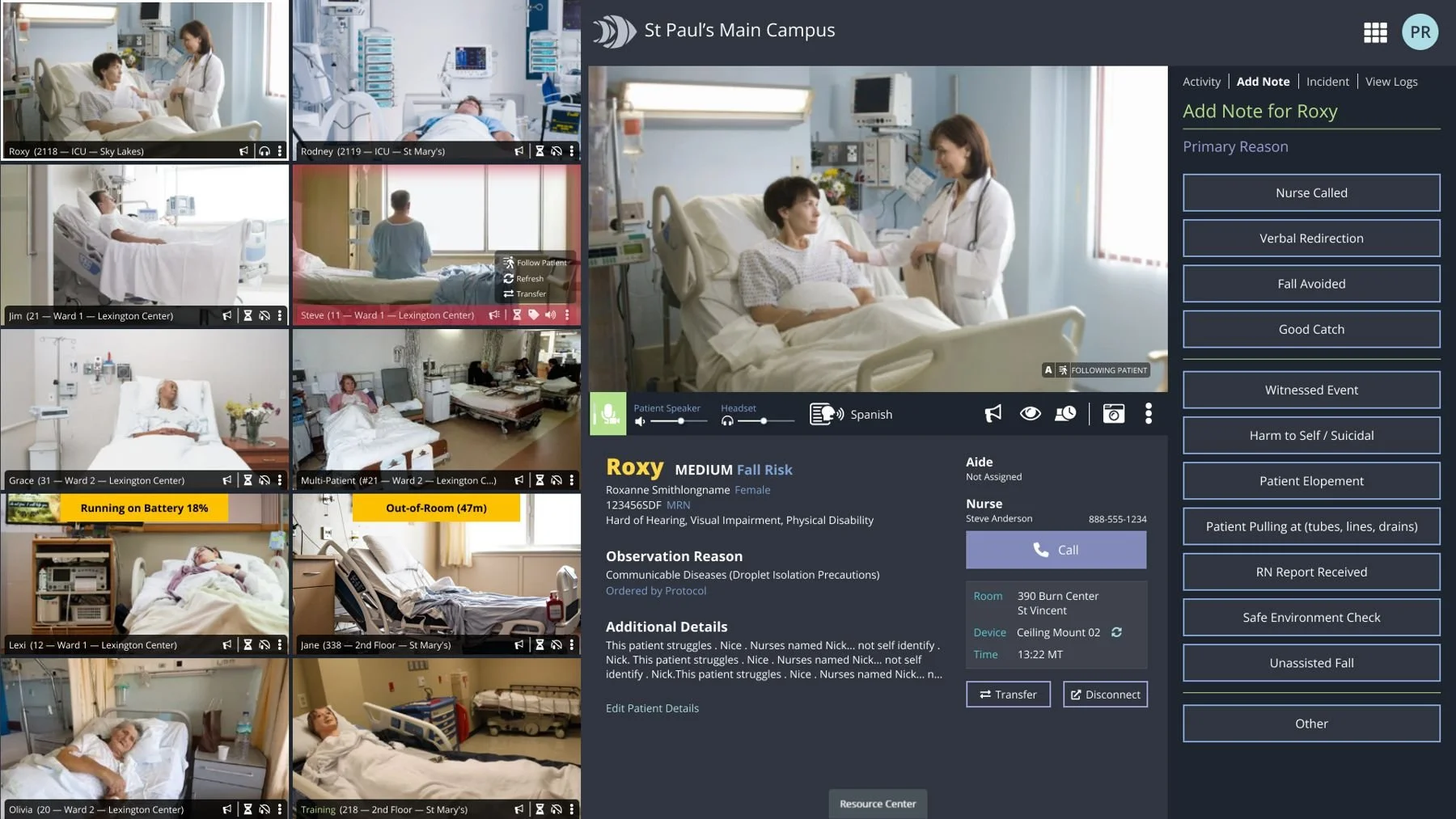
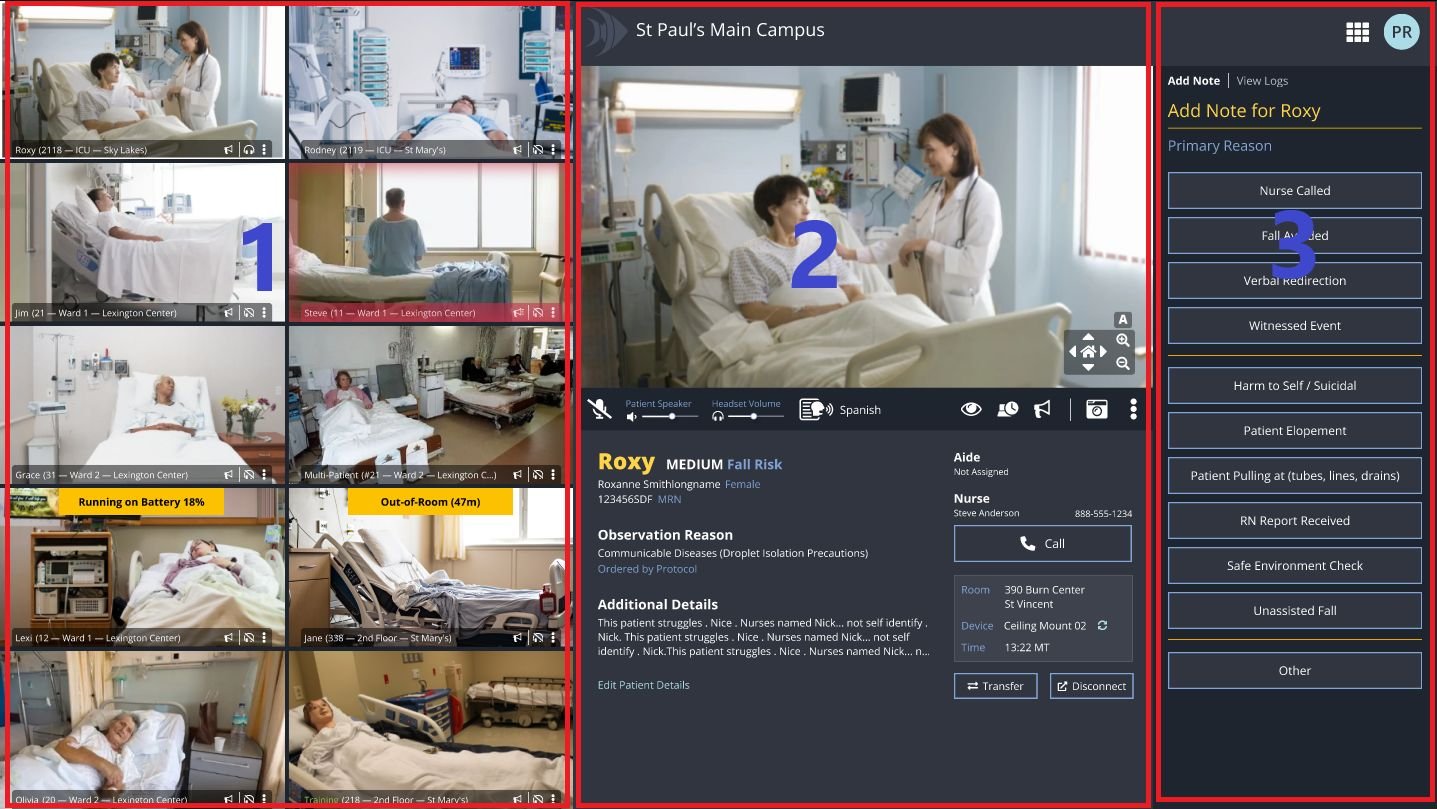
The redesigned Pod. Monitoring zone on the left, the patient in focus in the center, tasks on the right. All patient names and details are fictional.
Notice, speak, call, write it down. Repeat for twelve hours.
Hospitals assign a one-to-one sitter to patients at risk of falling, pulling out lines, or wandering off the unit. Virtual observation lets one trained observer cover many rooms from a remote screen. That only works if the observer can spot the patient sitting up at the edge of the bed, talk them back down, reach the right nurse, and record what happened, across a wall of video, for a full shift.
The first Pod put the video first and everything else wherever it fit.
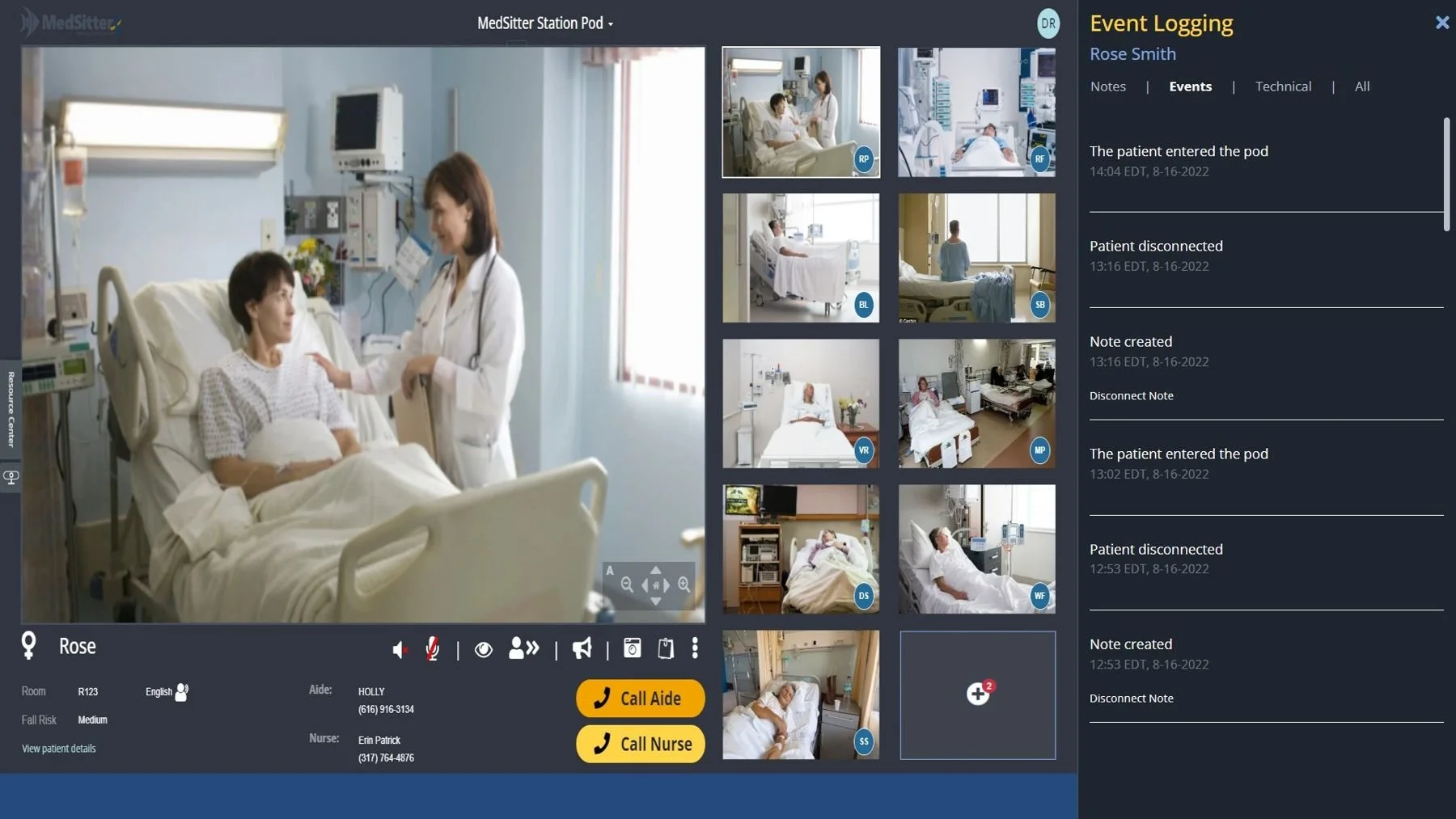
The earlier MedSitter Pod. Thumbnails identified by initials, unlabeled icon controls, and the event log in a separate panel away from the patient it described.
Design to the limits of the human eye.
People can't multitask well, and an observer's eyes are the whole job. So I started with how vision works. Sharp central vision covers only a few degrees, enough to read a face or a name. Peripheral vision can't read detail, but it catches movement and color change fast. A screen for watching a dozen rooms has to use both.
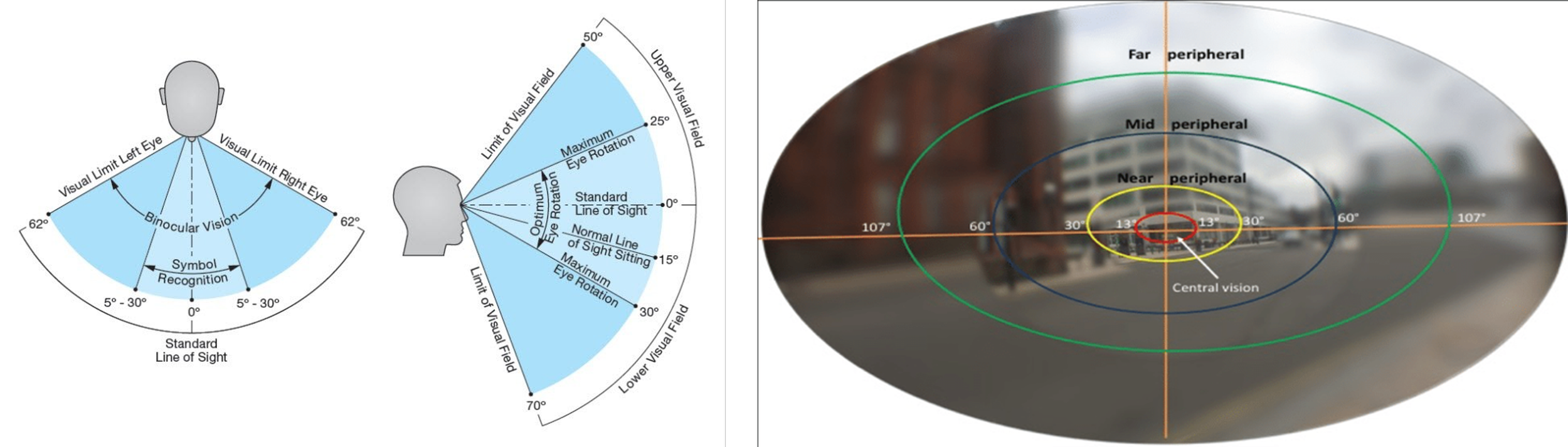
What the eye can do. Detail lives in a narrow central band; the periphery is for noticing.
Bigger was worse. Some hospitals put observers in front of huge monitors and video walls. The observer had to lean back, look up and pan their head to see every patient, and that wears people down over twelve hours. Viewing-distance research pointed to a 32-inch monitor: at a desk distance of about 4 to 6.6 feet (1.2 to 2 meters), the whole screen sits inside the preferred viewing area, so the observer scans with their eyes instead of their neck.
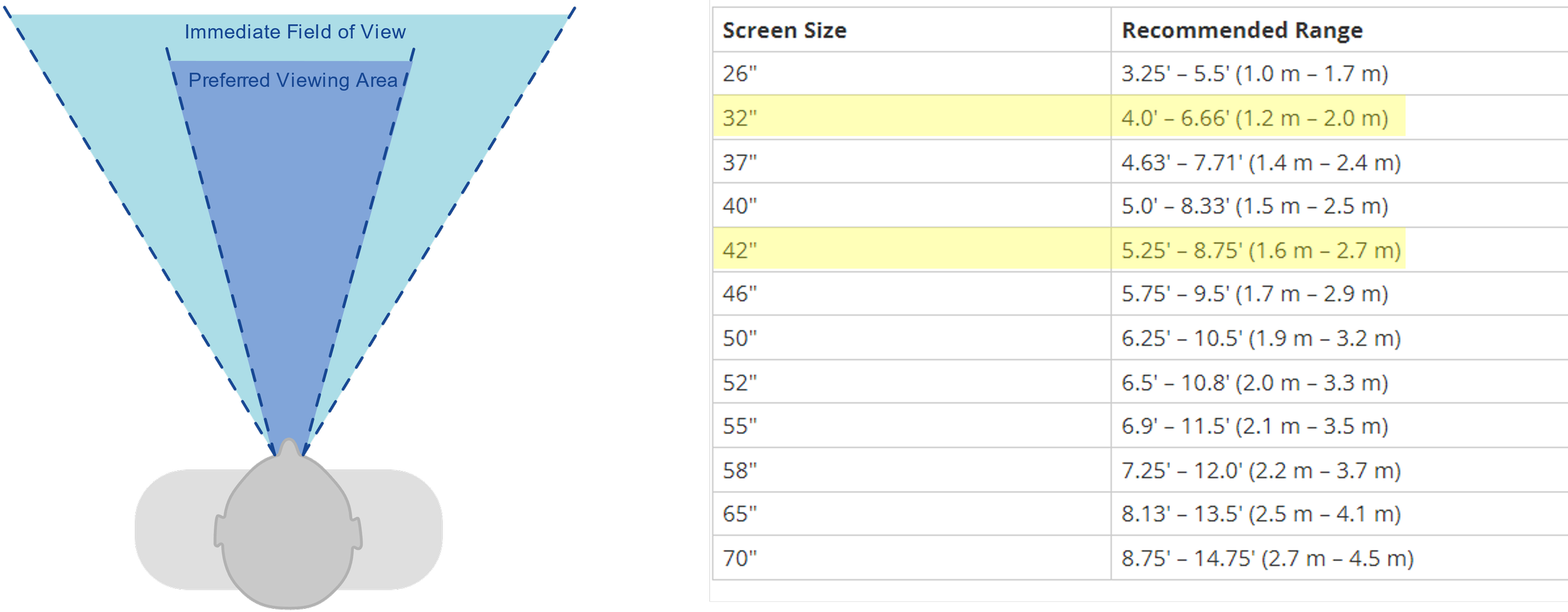
Choosing the screen. Size follows distance, not ambition.
Registered nurses and nursing assistants worked through the designs with me. They decided where alarms belonged, the order of the workflow, and what deserved attention first, so the screen matched real shifts and not a design review.
Three zones, matched to how the eye works.
-
Monitoring zone
Every room at once, sized for peripheral awareness. Each tile carries the patient's name, room and unit, plus its own controls.
-
Interaction zone
The patient in focus, in central vision: live video with camera control, two-way audio, fall risk, and one-tap calls to their aide and nurse.
-
Task zone
Notes and logs as large single buttons, beside the patient they describe, so recording never covers the video.
larger monitoring video when Pod v2 shipped in June 2023, along with the most-requested feature: drag-and-drop reordering, so the highest-risk patients sit at the top.
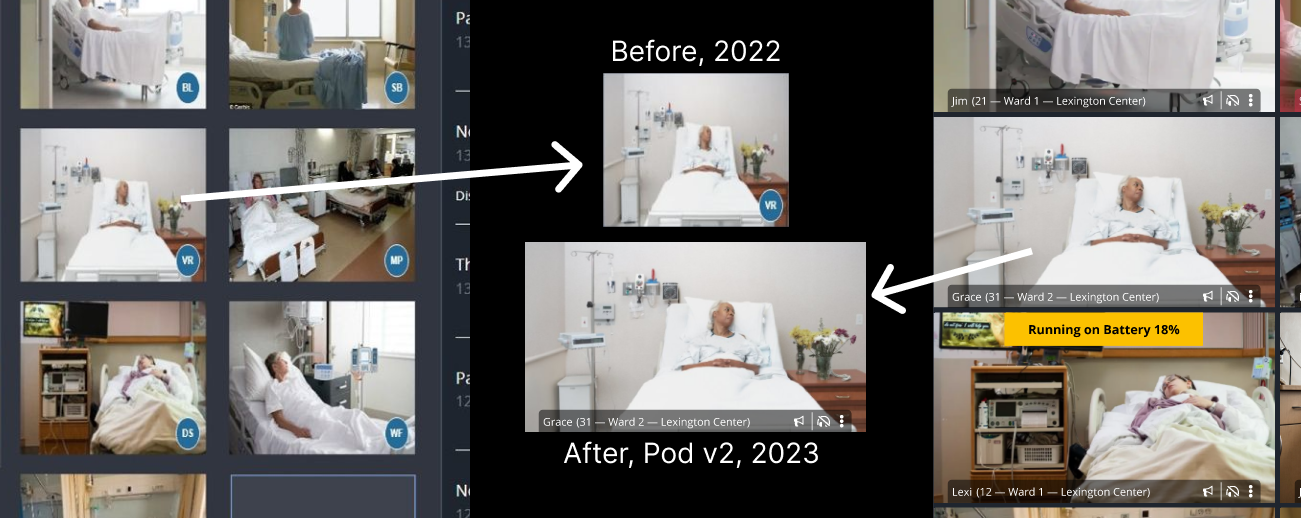
Same patient, same scale. The new tile is larger and shows who and where the patient is, not just their initials.
Let peripheral vision do the noticing.
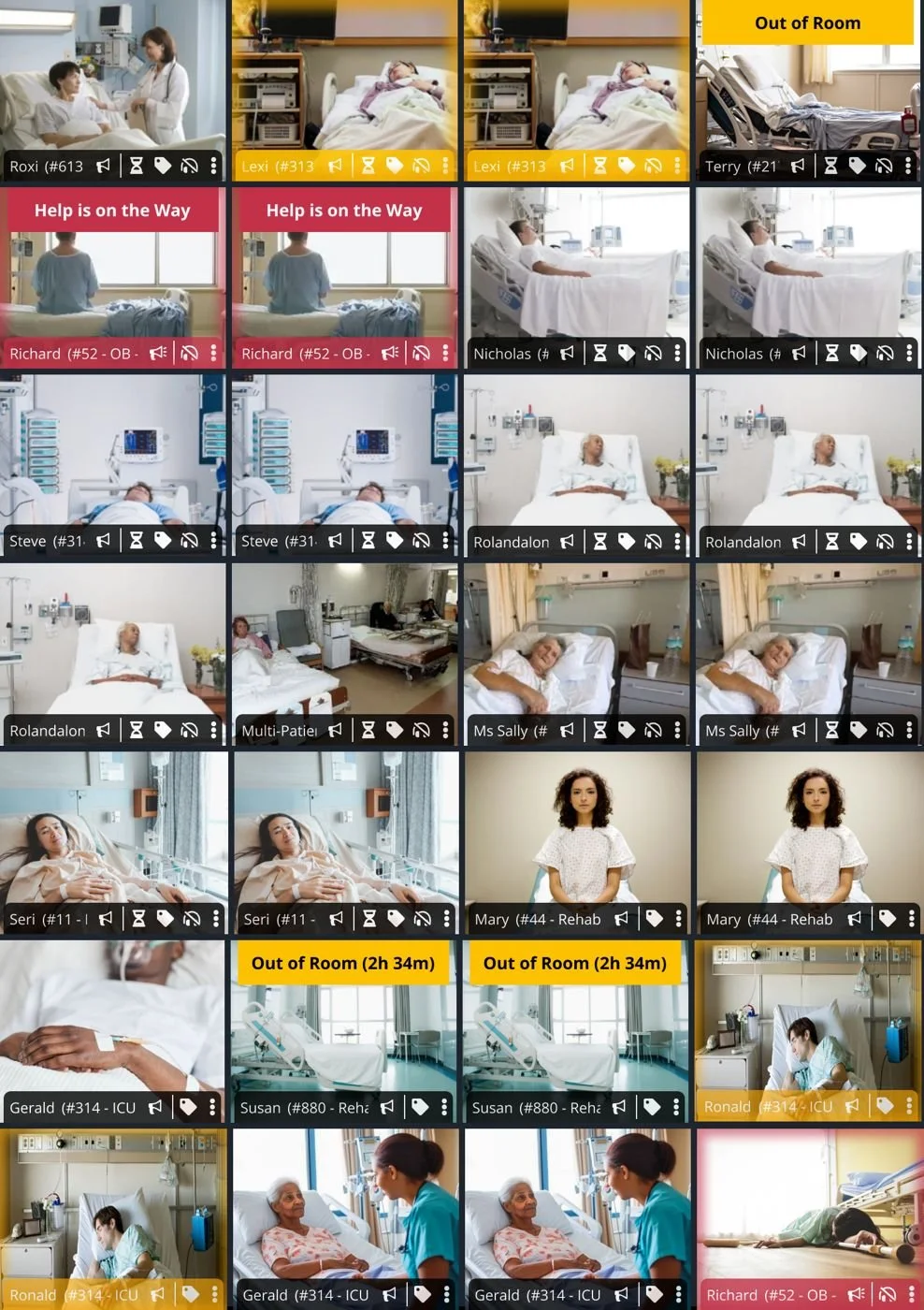
The observer can't read every tile, but peripheral vision registers a change in color. So each state got a fixed color and a plain-language banner in the same spot on every tile, and a moving patient gets a red glow.
-
Alarm · Help is on the WayRed glow; the banner says a response is already underway.
-
Out of Room (2h 34m)The timer shows how long the patient has been gone.
-
Running on Battery (18%)Staff can plug the cart in before the feed drops.
-
Privacy Mode (35m 22s)Video paused for care or dignity, with a clock so it doesn't stay off by accident.
-
Check-in dueA yellow halo marks a patient the observer hasn't brought into focus within the set time.
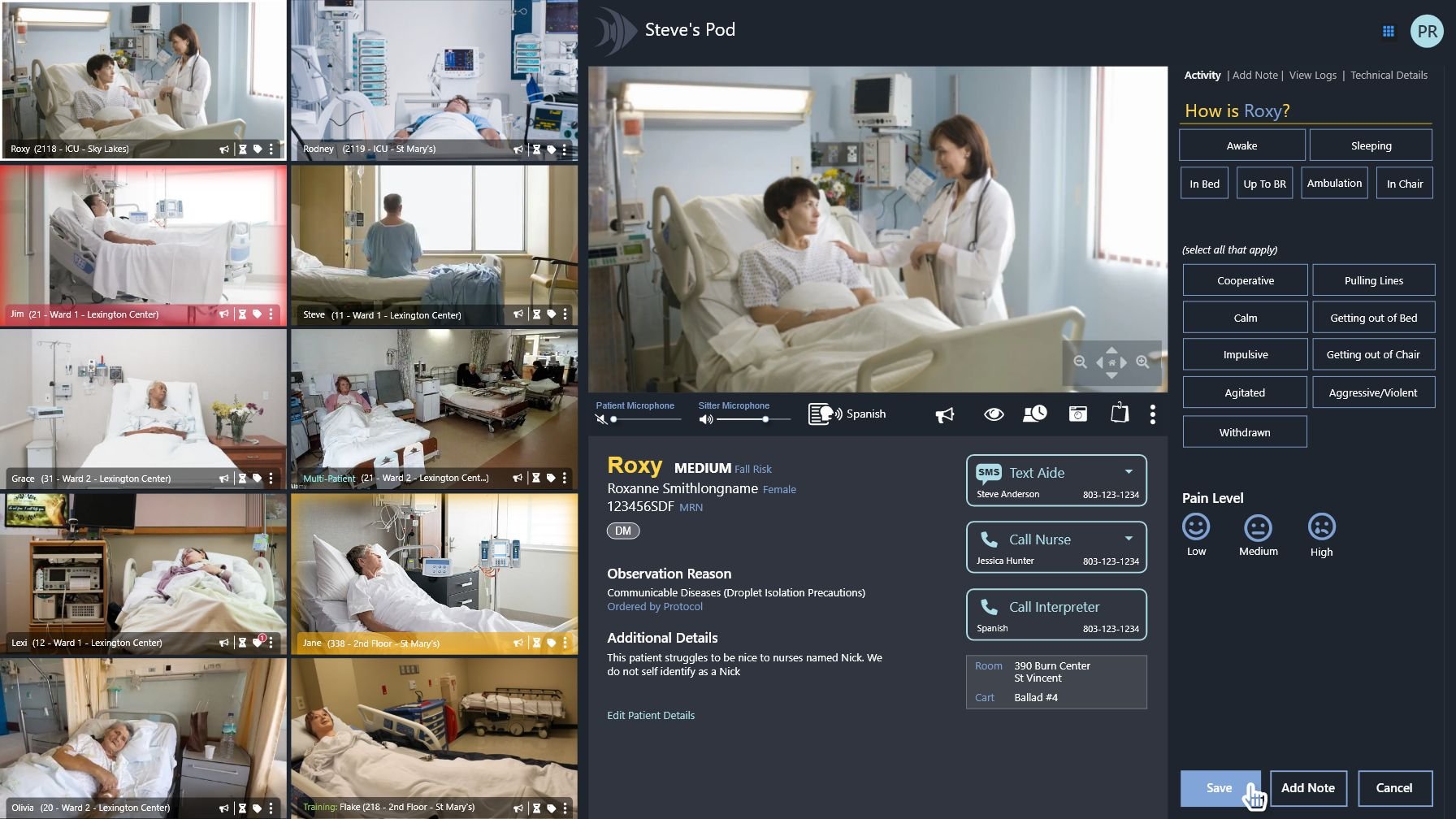
A note should take one tap, because the observer's eyes belong on the video.
Typing means looking away from a dozen rooms. Common entries became buttons: the reason, then a quick activity check (awake or asleep, in bed or in a chair, calm or agitated). Every tap is also a countable event, which later let hospitals see falls avoided and verbal interventions by unit in the analytics portal.
The patient should know who is watching, from across the room.
A camera in a hospital room can feel like surveillance. The in-room screen says who is on the other end, whether the microphone is live, and what to do if they need someone. The patient reads it from bed, and a wall-mounted screen can be 12 to 20 feet away, so I sized the type from real room layouts and those distances.
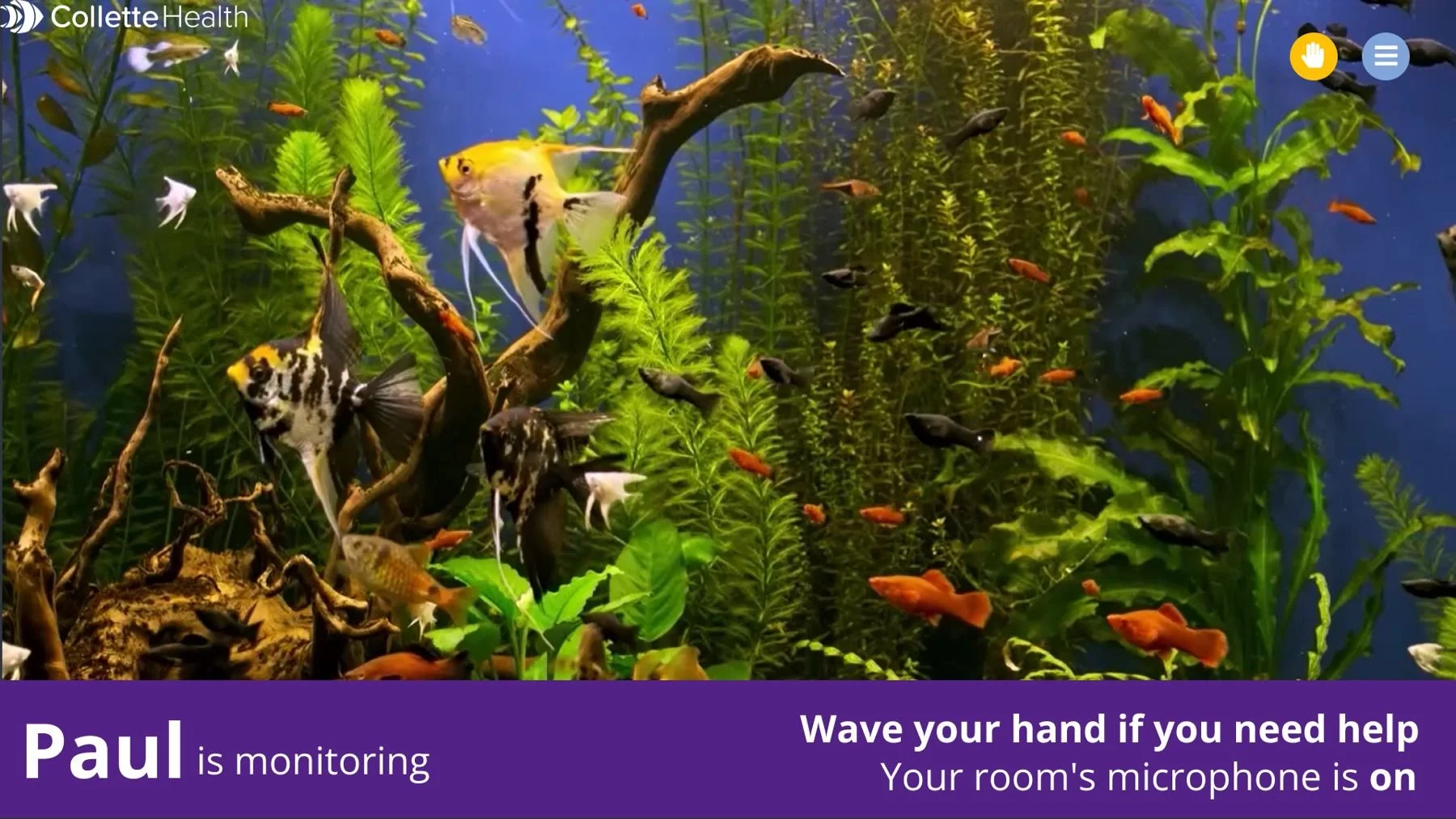
Patient-facing display. A calm image, the observer's first name, and the two facts a patient needs.
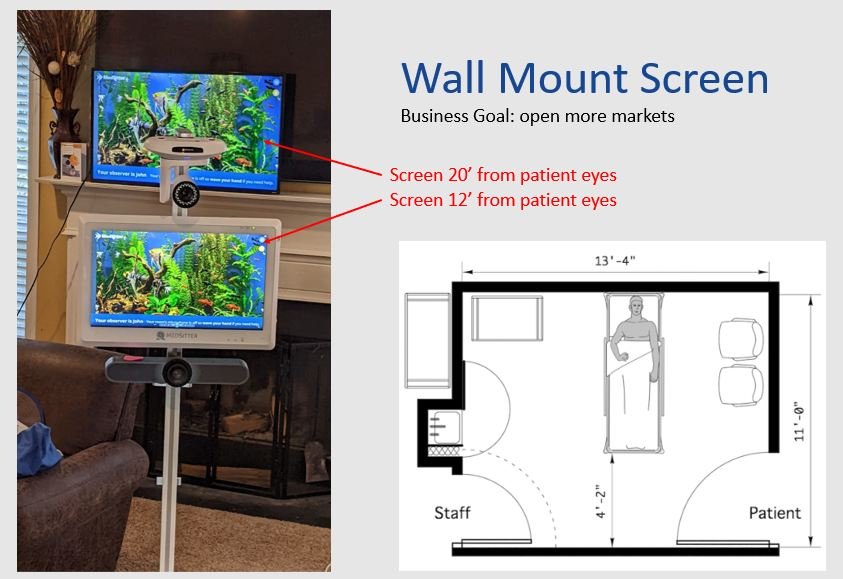
Type sized for the bed. Screens tested at 12 and 20 feet from the patient's eyes.
The observer's side of the camera has its own story: how presence detection checks on the observer without assuming the worst.
How many patients is too many?
Because the screen worked with the eye instead of against it, hospitals could move from ten patients per observer to twelve in December 2023: 20% more capacity with the same people.
Hospitals and competitors kept pushing higher, and the Pod eventually supported sixteen. It can work for a well-trained observer watching low-acuity patients. For high-acuity patients, sixteen is more than one person can safely manage, and I said so. Ten to twelve is where human attention holds up across a shift.
So the design helped hospitals make that call patient by patient. Acuity scoring rates each patient low, medium or high, raises the score when a patient keeps setting off alarms, and one click sorts the highest-risk patients to the top.
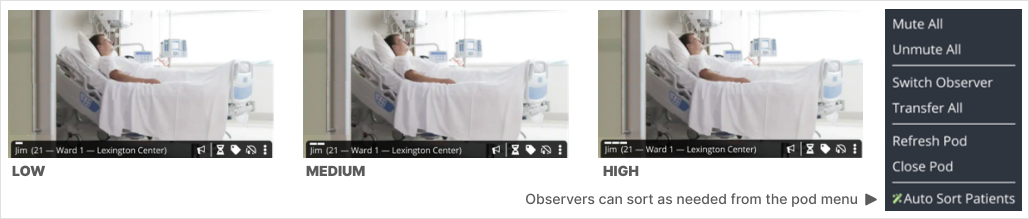
Where to look first. One to three bars on each tile show the patient’s acuity, and observers can sort the pod by risk whenever they need to.
Outcomes
- +20%observation capacity, 10:1 to 12:1, without adding staff
- 68%reduction in fall rates
- 83,678falls avoided
- 2023KLAS rates ease of use "exceptional," a month after Pod v2
- A+KLAS ease of use in 2024, up from A
- 2025and 2026 Best in KLAS, Virtual Sitting & Nursing
Fall figures and KLAS results are Collette Health's published platform outcomes. They reflect the whole product, team and clinical service, not design alone.
Principles that held from the first Pod to the last
- Design to the limits of the human eye. Central vision for detail, peripheral vision for noticing, and a screen sized to the distance.
- Lay the screen out in the order of the work. Monitor, interact, record.
- Put state where the eyes already are. A colored banner on the tile gets seen. A status in a side panel gets missed.
- Design with the people who do the work. Nurses and aides decided what mattered first.
- Know the human limit, and say it. The software can hold sixteen rooms. A person can safely hold ten to twelve high-acuity patients.
- Design for both sides of the camera. The patient is a user too.
Screens are design comps from the working Figma file. Patient names, records and phone numbers are fictional. Release dates come from Collette Health's public release notes.
